Hello, guys.
Not long ago, when looking for some stories on gaggedutopia, I found this one http://www.utopiastories.com/code/show_s...ecid/38098
The story itself is indeed good, but, furthermore, it gave me an idea for self-mummification:
As in the story, I plan to use a sheet of sticky tape, but I want to place my arms in "box"-style tie as the armbinder-style one is unsuitable for me.
But before I want to know your opinion about how safe it is?
Any ideas welcomed.
I tried the pantyhose sleepsack but I bend my legs behind like a hogtie position. The pantyhose I've used is rather tight but nice, just enough for me to get in and I can't stretch a inch more. I enjoyed it for 30 minutes then got out. Nothing unusual but the soreness hit me next day, around my shoulders and butt. I wonder if it's too tight or it's just me.
Anyone having soreness after your bondage? What to do to prevent or minimize it?
The program's name is a tribute to LoKiT so he hasn't been involved at any moment on the developement and any bug or error is totally my fault .
I want to thank him for giving me permission to use the word "LoKit" and for his hard work with the Picture LoKit software.
This program is for those who use combination padlocks on their selfbondage sessions and want to play having their hands locked on his back
The idea is that when a countdown reaches zero a webcam stream will be showed on screen, so you'll can free yourself inputing the combination on the padlock.
So you don't have to take a picture of the combination before start the session.
A session with this program may look like this: .
Like my latest programs there are two versions: the standard one and another that uses the silverlight 4 webcam feature for those with cameras that doesn't worked with my software.
Any of the versions needs to be installed to work and in the case of the Silverlight version you need to have a folder called "webcam" in the same directory from where you're running the LoKiT(able) Webcam.
As I want to make more interesting the waiting for the webcam stream to be showed on screen, the program plays a slideshow during the countdown.
Is really fustrating to be tied with your hands on your back without any possibility of satisfy yourself and been looking at hot images on screen.
I have included some images with the program, but you can add or delete as many images as you want. All the images included with the program have watermarks from their owners or have been included with the permission of their owners or have been found on the net without any copyright.
Anyway, if there is any image that someone want to be removed I'll gently remove it from the package.
The first time you open the program your screen will look like this:
The standard version will prompt you to open the webcam and the Silverlight version has a button at the top left corner:
Pressing it Sliverlight will ask you for permission to show webcam stream on screen:
If you take a look at the right of the screen you'll see all the setup options divided by groups.
The first group is the one that lets us configure how long we do want the session to last. The controls are very similar to the rest of my programs:
You have to input how long d'you want the session to last here:
and if you want to play with random time you must check this checkbox and type here the minimum desired time
and here the maximum:
so the computer will calculate a number beetwen the max and the min. If you input a min higher than the max the countdown will end as soon as you start the session.
A new feature inside this group is .
Checking it the program will show you on screen the remaining time in random mode (otherwise you'll get on screen random characters). The idea is that if you activate random time option you will know how much time did the computer calculated when you're tied.
(I have to include this in the rest of my programs)
You can input the time that you think that you're going to need to tie yourself here:
(later, during the countdown that appears to show you how much time left until real session starts you'll have the change to increase or decrease this timer).
This time is very important because you'll have webcam stream on screen while you're tying yourself, so you'll have to secure your webcam and be sure that when video window comes back it will let you see the combination padlock.
Finally inside this group you can activate or desactivate the beep during the countdown just checking this:
The second group of options is the one related to the slideshow that will be showed on the screen while you're waiting for the webcam video to come back:
Here you can change the folder from where the program will read the images and the delay between the images.
The default folder for the images is a folder called "images" in the same directory that the Selfbondage LoKiT(able) Webcam 1.0
If you do not have this images folder or choose a folder without images during the countdown you'll get a black screen.
The images are showed randomly.
The next group is the one related to teasing options.
Here you can choose if you do want the program to hear though the microphone if you do make any noize and tease you if so.
You can set up the sound level. To do it we need a microphone. Moving the slider we have to set a maximum level of noize threshold, and if we make a noize louder than this level during the session we will be teased:
The program will tease you running an external program.The default option is any program called pain.exe stored in the same folder that the Selfbondage LoKiT(able) Webcam.
Until you press the start session button everytime that you make a noize louder that the max allowed level the computer will beep. Use that beep to adjust the noize threshold because when session starts the beep will become an external program running (a "pain.exe" that plays a sound during a minute maybe?).
If you do not have any teasing device you can also play with the sound teasing option because the program can also add time to the countdown everytime you make a noize louder than the threadhold.
You can setup how many minutes you want to be added with the last option of the group. If yo do not want time to be added then just input zero minutes (the max allowed is 9 minutes)
The last group of options is one of the most important. Is the one related to security options.
Here you can setup the minimum battery level allowed before ending the session, so when battery goes under your % selected the webcam window will be showed on screen until you press the escape button on the keyboard.
The last option lets us to choose if we do want to run any program when session ends and if so to choose which program and test if it works as we want (it can be, for example, a program that activates a vibrator, or, if you haven't inputed the right combination of the padlock before the countdown ends, a teasing program, so you'll be trying combinations during the whole countdown).
Another option is to use a program that releases a key (like the opening of the cd tray) so you can have two ways of getting free just combining a normal padlock and a combination padlock:
At the bottom of the gui you have the Start button session and one red button to close the program with the mouse.
You can exit the program at any time just pressing the Escape button... but it will not show the webcam window on screen So it can't be used as a way to get out of your selfbondage session.
When you have setup all the desired options and you're ready to start tying yourself just press the START SESSION button and a countdown will start showing you how much time lasts before the real session starts:
During this countdown you'll get on screen the webcam image, so make sure that when this image come back when the session ends it will sow the padlock right.
You can decrease or increase the duration of this countdown with the buttons on the gui. This is useful of you're tying yourself faster or slower that you've though. A good way of playing is having a wireless mouse next to you, so you can click on the button while you're tying yourself. Think that during the session the whole screen will be filled with the program, so the mouse will be useless later (I repeat, the only way of finishing the program will b pressing Escape on the keyboard)
When this first countdown ends, the webcam window will dissapear and your screen will look like this:
If you haven't activated the soundteasing you'll get more espace for the slideshow because the bar will not be showed.
The soundbar works like that:
So if you have setup a sound threshold of 20% when you make a noize over the 20% the bar will be filled and you'll be teased (and time will be added to the countdown).
If you have choosed a not random timed session or a random timed session knowing the remaining time you'll will have a timer and a progress bar on the bottom of the screen:
If you set a session with random time and not showing the remaining time you'll have a special timer that just will show random characters.
When the countdown reaches zero the webcam video will be showed on screen again and it will be showed until you get free and you press escape on the keyboard.
The program blocks any forced reboot or shutdown and it has only been tested on Windows 7 x86, so any feedback about other operating system will be welcomed.
I would like to create a thread where we can share images that can be showed during the countdown. Unfortunately I can't include all the images that I wanted on the release 😟
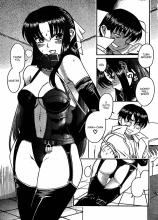
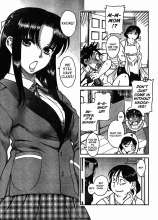
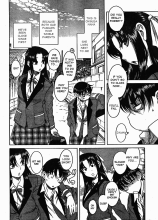
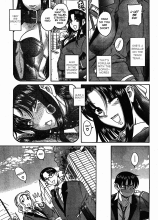
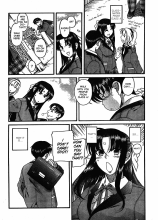
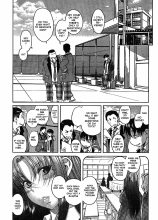
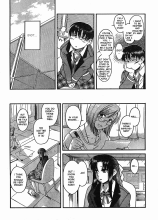
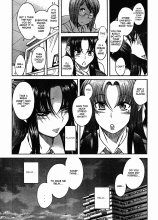
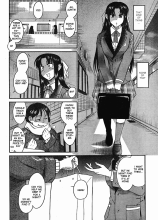
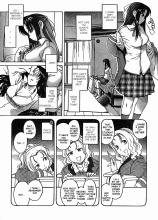
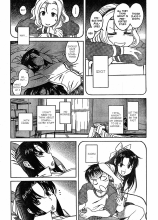
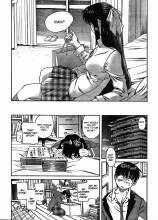
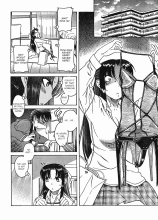
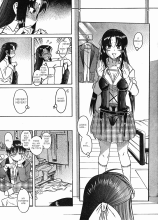
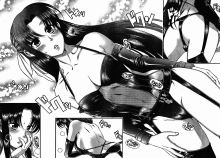
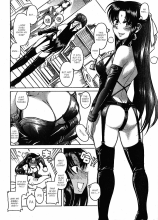
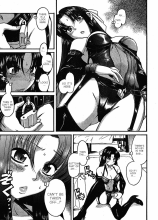
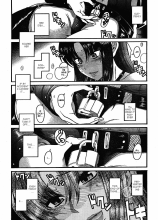
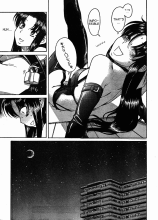
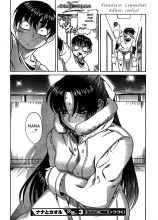
i finally tracked down a self bondage image to this manga, i attach the first chapter which has the self bondage in it, the anime is now just out with this chaper in it (as a flash back)
I found this video that made me love latex more than ever! 😋. Some videos needs to log in on the webpage but I think this one you can watch it without log in. You need to click on the link because this website it's not supported like youtube and others.







![[Image: Pin_Up_before_after_85.jpg]](http://i80.photobucket.com/albums/j181/ulkacurl/Prochee/Pin_Up_before_after/Pin_Up_before_after_85.jpg)
![[Image: logoldv.png]](http://img833.imageshack.us/img833/986/logoldv.png)
![[Image: ideac.png]](http://img220.imageshack.us/img220/4923/ideac.png)
![[Image: 77339655.png]](http://img852.imageshack.us/img852/8889/77339655.png) .
.![[Image: main2u.png]](http://img703.imageshack.us/img703/8805/main2u.png)
![[Image: startcamera.png]](http://img42.imageshack.us/img42/4863/startcamera.png)
![[Image: sinttulopzb.png]](http://img233.imageshack.us/img233/7576/sinttulopzb.png)
![[Image: sesionsetup.png]](http://img717.imageshack.us/img717/4422/sesionsetup.png)
![[Image: timem.png]](http://img807.imageshack.us/img807/4976/timem.png)
![[Image: randomtimer.png]](http://img534.imageshack.us/img534/9059/randomtimer.png)
![[Image: randomyes.png]](http://img703.imageshack.us/img703/2015/randomyes.png) .
.![[Image: warminginput.png]](http://img837.imageshack.us/img837/4700/warminginput.png)
![[Image: beep.png]](http://img576.imageshack.us/img576/9606/beep.png)
![[Image: slideshowsetup.png]](http://img233.imageshack.us/img233/2326/slideshowsetup.png)
![[Image: teasingsetup.png]](http://img828.imageshack.us/img828/2216/teasingsetup.png)
![[Image: sliderb.png]](http://img204.imageshack.us/img204/7495/sliderb.png)
![[Image: safetysetup.png]](http://img688.imageshack.us/img688/9382/safetysetup.png)
![[Image: combinationpadlocks3.jpg]](http://img846.imageshack.us/img846/6963/combinationpadlocks3.jpg)
![[Image: warmingcount.png]](http://img694.imageshack.us/img694/7937/warmingcount.png)
![[Image: mainyk.png]](http://img200.imageshack.us/img200/8283/mainyk.png)
![[Image: sounbar2.png]](http://img17.imageshack.us/img17/9784/sounbar2.png)
![[Image: progressbar.png]](http://img26.imageshack.us/img26/3108/progressbar.png)